NBomber Studio 0.10.0
· 4 min read
NBomber Studio 0.10.0 is out! This release adds support for tags and brings a nicer UI/UX with an improved Session Details view.
NBomber Studio 0.10.0 is out! This release adds support for tags and brings a nicer UI/UX with an improved Session Details view.
NBomber 6.7.0 is here! This release introduces several improvements to scenario creation, warm-up configuration, test run metadata, and reporting. We’ve also fixed several issues in NBomber Cluster that could cause nodes to wait indefinitely under certain failure conditions.
In this post, we’ll walk through the key changes in NBomber 6.7.0 and explain how they can improve your load-testing workflows. We’ll cover NBomber Studio in a separate post.
Let’s take a closer look.
NBomber Studio 0.9.0 is out! This release adds a Logs tab that shows the logs of every node of your test. It also adds a Data Transfer chart, a metric table under every chart, and a new navigation for scenarios and steps.
This release is mostly about stats and HTML reporting. We made these main changes:
NBomber Studio 0.8.2 is out! This is a patch release focused on stability, with a few valuable fixes: Studio can now run fully air-gapped without reaching out to public CDNs, the Active Sessions table no longer gets stuck showing stale rows, and the C# script validator no longer hangs on large build output.
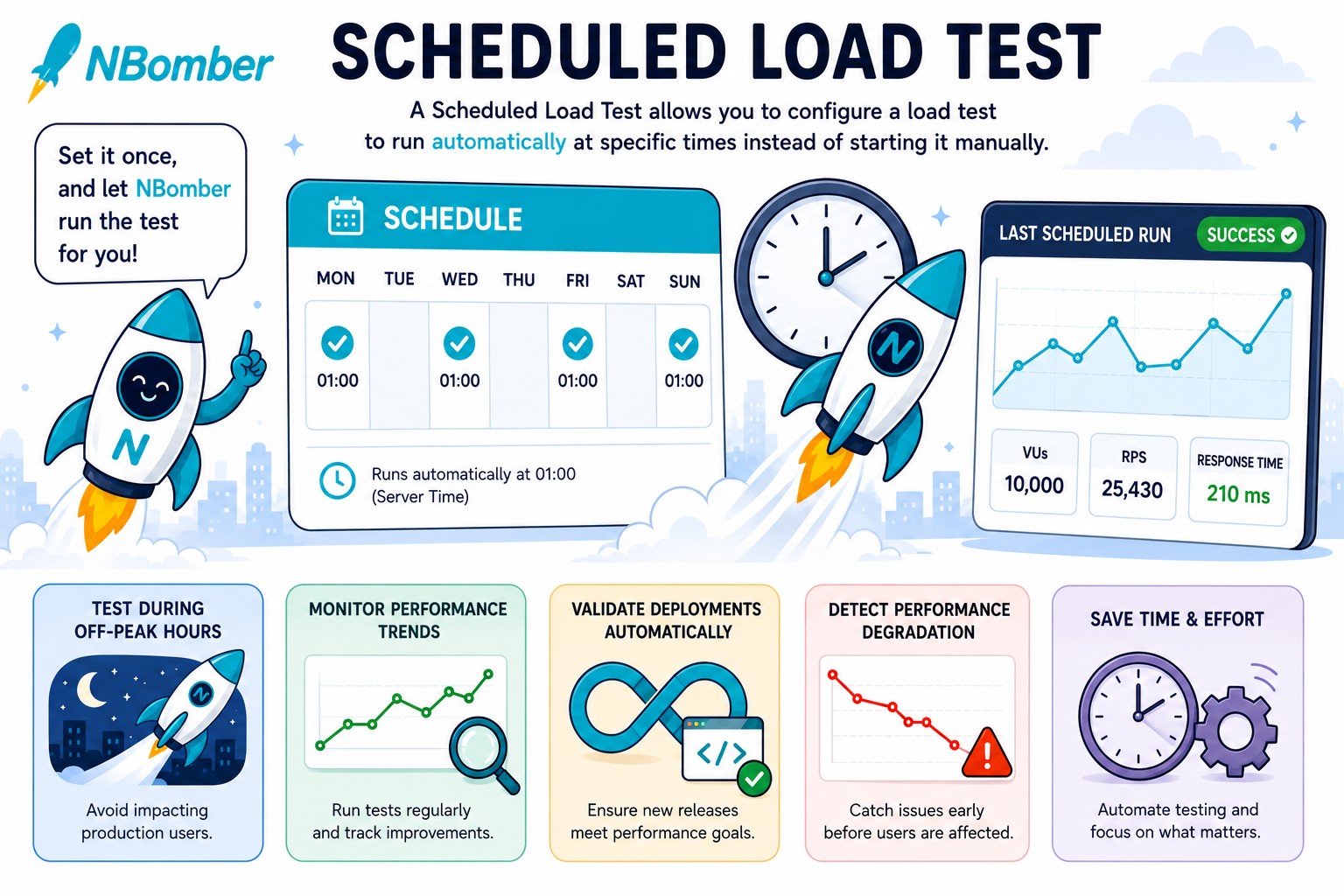
NBomber Studio 0.8.0 is out! This release brings Load Test Schedules — a long-requested feature that lets you run a load test automatically at specific times, so you no longer need to kick it off manually. We've also extended the Container Spec file, which now supports more standard Kubernetes settings and gives you the flexibility to pass secrets and other arguments via environment variables.
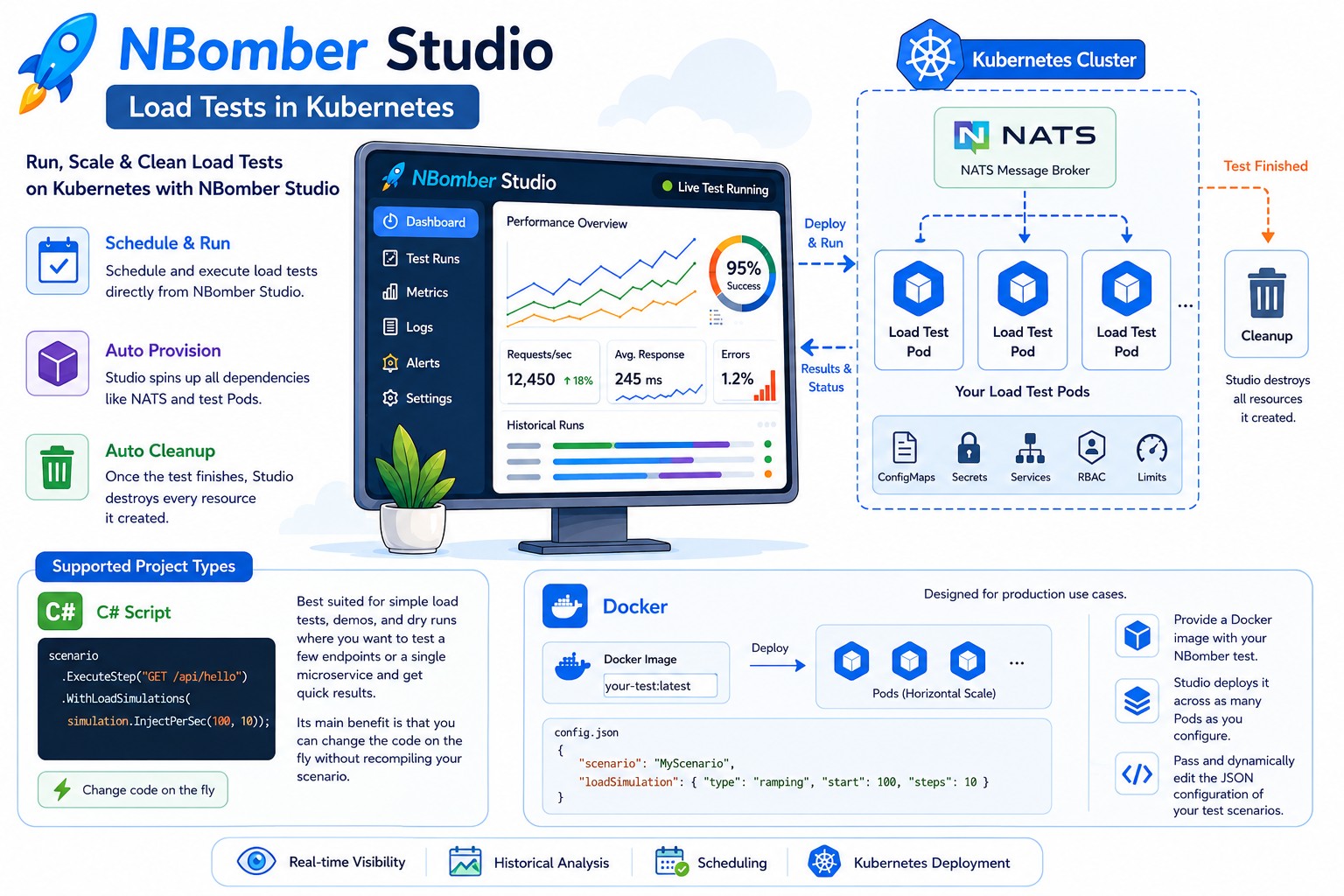
The new 0.7.1 release introduces a powerful feature: Load Tests in Kubernetes.
Load Tests in Kubernetes give you a control plane for managing, deploying, and running load tests. With this feature, you can schedule and execute load tests in Kubernetes directly from NBomber Studio. It's a game changer that brings a SaaS-like experience while letting you run your tests inside your own private K8s cluster.
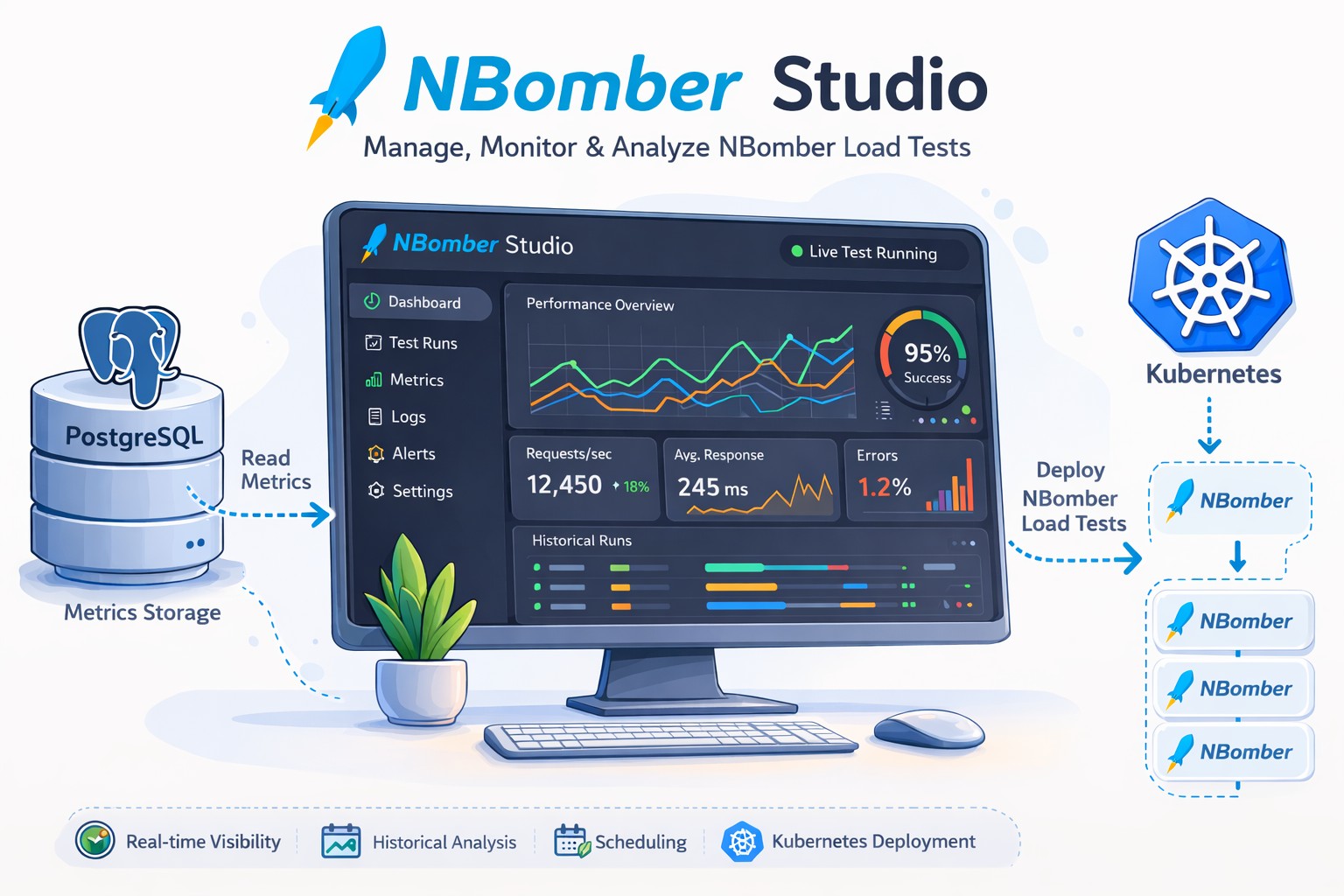
The new 0.6.2 release introduces several powerful features: Compare Runs, Trend Analysis, Download HTML Report, and Stop Session.
With these additions, NBomber Studio is evolving beyond being just a UI for NBomber metrics into a full-fledged load testing platform. We are also working on the upcoming Load Testing in Kubernetes feature, which we expect to release in April.


In the NBomber v6.2.0 release, we focused primarily on improvements to cluster mode, and we also introduced several useful enhancements to the HTML Report.
In the new release, we are introducing Custom Metrics, one of the most requested features. Additionally, we've made several improvements related to thresholds, memory consumption, CSV, HTML reports, and more.