NBomber Http 7.0.0
NBomber.Http 7.0.0 is out! This is a major release of the NBomber HTTP plugin. The goal of this release is simple: make the HTTP client more flexible and easier to use.
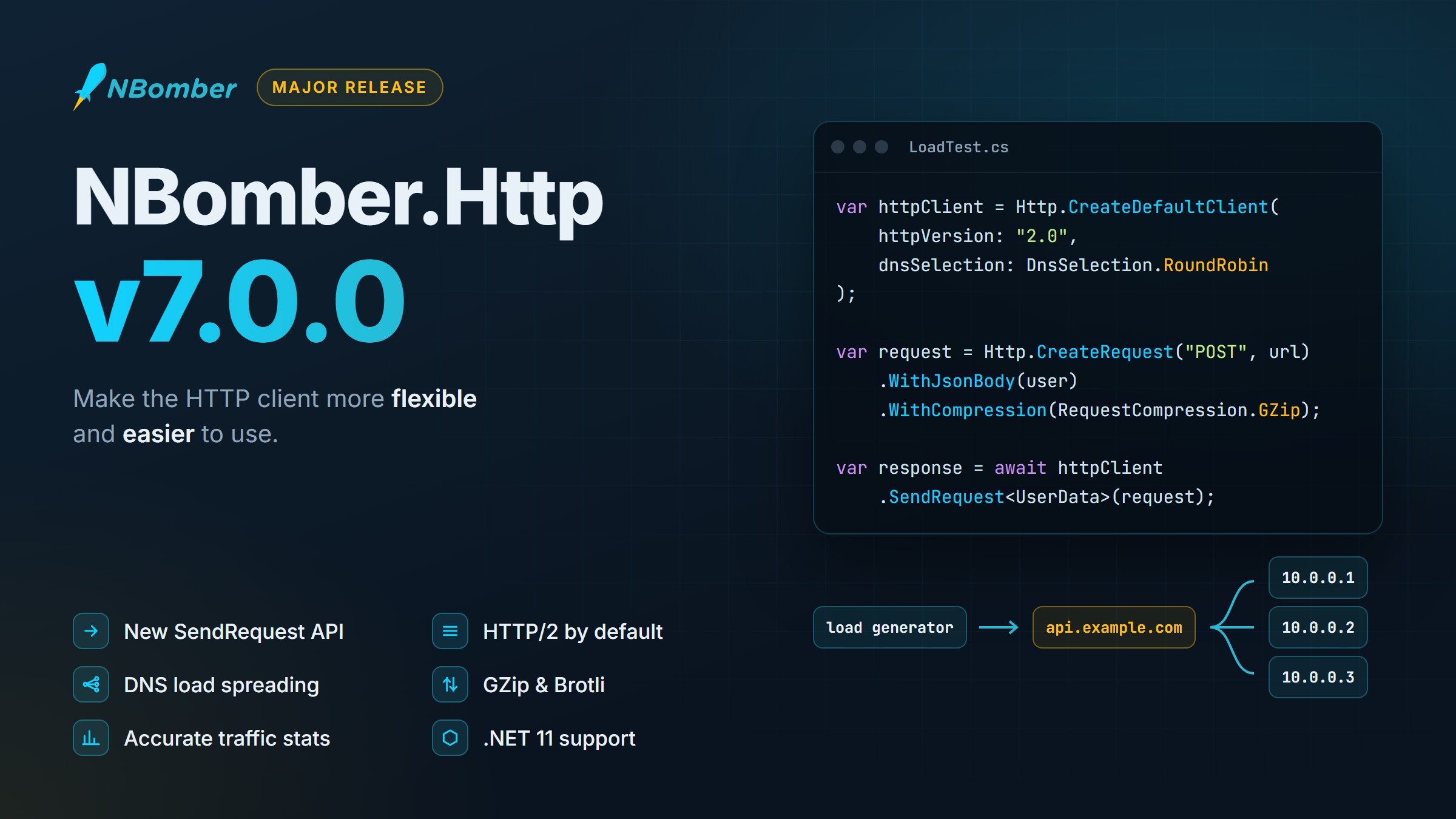
To do this, we changed how Http.CreateDefaultClient manages connections, HTTP versions, and DNS. We also added support for request compression and automatic response decompression, made the data transfer statistics more accurate, and added a new, easier-to-use SendRequest extension method for HttpClient.
Let's take a closer look.
SendRequest: a new way to send requests
In previous versions, you sent a request with the static Http.Send method. Optional settings, such as a logger or a CancellationToken, went into a separate HttpClientArgs object:
// 6.x
var clientArgs = HttpClientArgs.Create(timeout.Token, logger: context.Logger);
var response = await Http.Send<UserData>(httpClient, clientArgs, request);
Version 7.0.0 adds the SendRequest extension method for HttpClient. All settings are optional parameters, so you pass only the ones that you need, by name:
// 7.0.0
var response = await httpClient.SendRequest(request);

var response = await httpClient.SendRequest<UserData>(
    request,
    logger: context.Logger,
    cancellationToken: timeout.Token
);
Http.Send still works, but it is now obsolete.
Better JSON support
SendRequest<T> also handles the response more strictly than Send<T> did:
| Response | Result | Data |
|---|---|---|
| 2xx with a JSON body | OK | The deserialized value |
| 204 No Content, or 2xx with an empty body | OK | default(T) |
2xx with a body that isn't valid JSON for T | Failed. The status code is kept, and Message contains the deserialization error. | default(T) |
| Non-2xx | Failed. The body isn't deserialized. | default(T) |
Before, an invalid JSON body was reported as OK. If your API returned an HTML error page with a 200 status code, the test showed no errors. Now you see these failures in the report.
HTTP/2 by default
Http.CreateDefaultClient now uses HTTP/2 if the server supports it, and HTTP/1.1 otherwise. For https URLs, the client and the server agree on the version during the TLS handshake. For http URLs, the client uses HTTP/1.1.
You can select the version with the new httpVersion and versionPolicy parameters:
// HTTP/1.1 only (the 6.x behavior)
var httpClient = Http.CreateDefaultClient(httpVersion: "1.1");

// HTTP/2 without TLS (h2c), for example for gRPC or an internal service
var httpClient = Http.CreateDefaultClient(
    httpVersion: "2.0",
    versionPolicy: HttpVersionPolicy.RequestVersionExact
);

// HTTP/3, if the server and the operating system support it
var httpClient = Http.CreateDefaultClient(httpVersion: "3.0");
To use a different version for one request, use WithVersion. The version of the request has priority over the version of the client:
var request = Http.CreateRequest("GET", "https://nbomber.com")
                  .WithVersion("1.1");
Multiple HTTP/2 connections
With HTTP/2, one connection carries many parallel requests (streams). But the server limits the number of parallel streams per connection, usually to 100. In .NET, the default behavior of HttpClient is to reuse a single HTTP/2 connection per server endpoint and multiplex multiple HTTP requests over that connection.
This means:
- Multiple concurrent HTTP requests can share the same TCP connection.
- Each request uses a separate HTTP/2 stream.
- .NET does not normally open additional HTTP/2 connections just because more requests arrive.
- If the connection reaches its concurrent-stream limit, additional requests are generally queued rather than opening another connection.
For a load test, this can be a problem. The latency includes the time in the client queue, and the server gets less load than you planned. You see a slow server, but the bottleneck is your load generator.
CreateDefaultClient now enables EnableMultipleHttp2Connections. When all connections reach the stream limit, the client opens a new connection, and requests don't wait in a queue.
DNS: spread the load over all IP addresses
A host name can resolve to several IP addresses, for example when a load balancer uses DNS round-robin. .NET HttpClient does not guarantee that it spreads connections evenly over these addresses. By default, it connects to the first address that the DNS resolver returns. Then connection pooling reuses this connection for many requests. As a result, most or all requests of your load test can go to the same IP address, and one backend server gets all the load.
Real users don't behave like this. Many independent clients spread the load over all addresses. To simulate this, we added the dnsSelection parameter:
| Value | Behavior |
|---|---|
Default | Uses the built-in .NET behavior: starts with the first address and goes to the next address only if the connection fails. When the first address works, all connections go to it. |
Random (default) | Starts with a random address for each new connection. |
RoundRobin | Starts with the next address (in sequence) for each new connection. |
var httpClient = Http.CreateDefaultClient(dnsSelection: DnsSelection.RoundRobin);
If the connection to the selected address fails, the client tries the remaining addresses.
Connection lifetime and DNS changes
The client resolves DNS only when it opens a new connection. Because of this, the connection lifetime is also the maximum time before the client sees a DNS change, for example a blue/green switch or a failover.
The default pooledConnectionLifetime is now 3 minutes (before, it was 10 minutes), and you can change it:
var httpClient = Http.CreateDefaultClient(pooledConnectionLifetime: TimeSpan.FromMinutes(1));
A smaller value finds DNS changes faster, but the client opens new connections (TCP and TLS handshakes) more frequently.
Compression: GZip and Brotli
Many APIs use compression, and a load test must do the same to produce realistic traffic. NBomber.Http 7.0.0 supports GZip and Brotli in both directions.
Request compression
WithCompression compresses the request body and adds the Content-Encoding header. It works with any body:
var request =
    Http.CreateRequest("POST", "https://nbomber.com/api/users")
        .WithJsonBody(user)
        .WithCompression(RequestCompression.GZip); // or RequestCompression.Brotli

// or, for a JSON body
var request =
    Http.CreateRequest("POST", "https://nbomber.com/api/users")
        .WithJsonBody(user, compression: RequestCompression.Brotli);
The body is compressed once, when the request is built, not on each send. So compression doesn't use the CPU of your load generator during the test.
The server must support compressed request bodies. For example, in ASP.NET Core, enable the request decompression middleware.
Response decompression
The new automaticDecompression parameter enables decompression of response bodies:
var httpClient = Http.CreateDefaultClient(
    automaticDecompression: DecompressionMethods.GZip | DecompressionMethods.Brotli
);

// the body is decompressed before it is deserialized
var response = await httpClient.SendRequest<UserData[]>(request);
The important part: NBomber counts the compressed size in the data transfer statistics. When you use the .NET AutomaticDecompression setting, .NET removes the Content-Length and Content-Encoding headers, and you can only see the decompressed size. NBomber.Http decompresses the body itself, so it can report the bytes that were really received over the network.
For more details, see Compression.
More accurate data transfer statistics
We reworked how NBomber calculates the size of requests and responses. The size is counted as HTTP/1.1 sends it: the request or status line, the headers, and the body. The new calculation is more accurate:
- The request size includes the headers that
HttpClientadds when it sends the request:DefaultRequestHeaders, cookies, andContent-Length. - A request body without a known length (for example,
JsonContentorStreamContent) is counted while it is sent. - A chunked response body (without
Content-Length) is counted when the body is read. - Responses without a body (to a
HEADrequest, 1xx, 204, 304) have a body size of 0. - A compressed body is counted with its compressed size.
Request timeout
CreateDefaultClient has a new requestTimeout parameter. The default value is still 1 minute:
var httpClient = Http.CreateDefaultClient(requestTimeout: TimeSpan.FromSeconds(30));
.NET 11 support
NBomber.Http now targets .NET 11, together with .NET 8, .NET 9, .NET 10, and .NET Standard 2.1.
Upgrading from 6.x
This is a major release, and some defaults changed. The same test can send different requests and produce different results after the upgrade. Here is a short summary:
- C# code compiles without changes. Calls to
Http.Sendshow an obsolete warning. Replace them withSendRequest.
Behavior changes, and how to keep the 6.x behavior:
| Change | 6.x | 7.0.0 | To keep the 6.x behavior |
|---|---|---|---|
| HTTP version | HTTP/1.1 | HTTP/2 if the server supports it | httpVersion: "1.1" |
| Connection lifetime | 10 minutes | 3 minutes | pooledConnectionLifetime: TimeSpan.FromMinutes(10) |
| Idle connection timeout | 5 minutes | 1.5 minutes | Create your own HttpClient |
| IP address of a new connection | The first address | A random address | dnsSelection: DnsSelection.Default |
WithJsonBody serializer options | .NET defaults (PascalCase) | Http.GlobalJsonSerializerOptions (camelCase) | WithJsonBody(data, new JsonSerializerOptions()) |
Send<T> with invalid JSON in a 2xx body | OK | Failed | - |
Send<T> with a non-2xx response | The body is deserialized | The body isn't deserialized | Read Response.Content |
For the full migration guide, see Migrating to 7.0.0.
Updated documentation
We also restructured the HTTP documentation. It now has separate pages for Connections & HTTP versions, JSON support, and Compression. A new version badge marks the APIs that are available starting with 7.0.0.
What's Next?
Thank you for your interest in NBomber and for being part of our community! We hope this release makes your HTTP load tests more realistic and your results more accurate. If you find an issue or have an idea, please let us know on GitHub.
Happy load testing!